
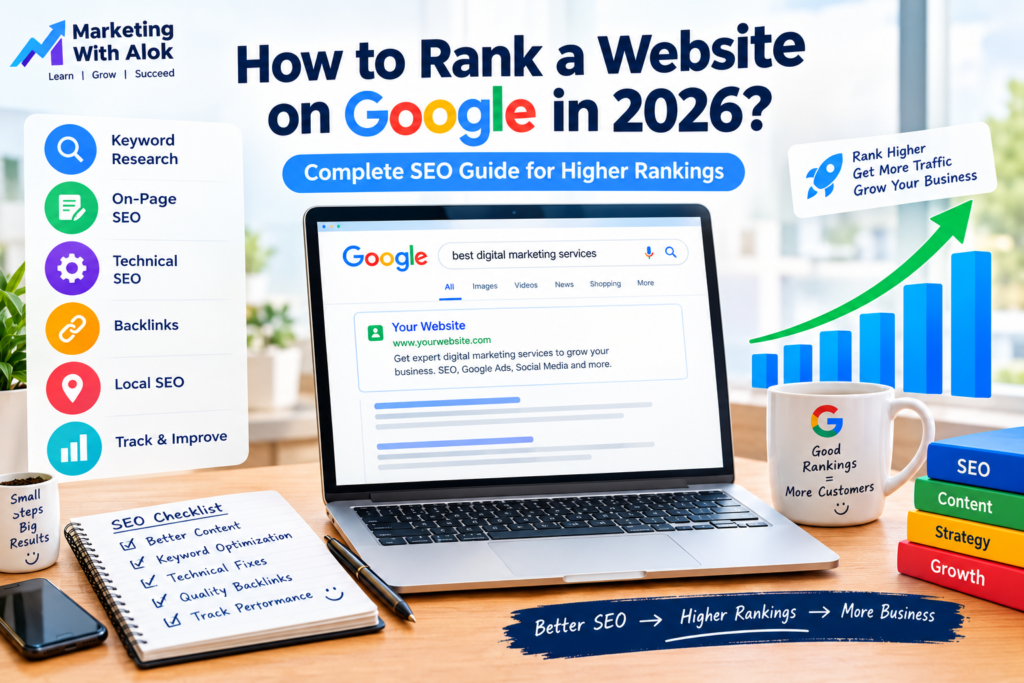
Introduction
Ranking a website on Google is one of the most effective ways to attract organic traffic, build brand awareness, and generate leads without paying for every click. However, achieving higher rankings requires more than publishing blog posts or adding keywords to a webpage. You need a complete SEO strategy that helps search engines understand your website and provides real value to your visitors.
In 2026, businesses need to focus on helpful content, relevant keywords, a technically sound website, a positive user experience, and a trustworthy online presence. Google aims to show users results that best meet their search needs, so creating useful and reliable content is essential.
Whether you own a business website, run a blog, manage an online store, or provide digital marketing services, this guide explains how to rank a website on Google using practical SEO techniques.
What Is Google Website Ranking?
Google website ranking refers to the position of a webpage in Google’s search results for a particular search query. For example, when someone searches for “digital marketing services in Delhi,” Google displays webpages it considers relevant and useful for that search.
A page appearing near the top of the organic results may receive more visibility and clicks than a page appearing much lower. However, rankings can vary depending on the query, location, language, device, and search context.
Search engine optimization (SEO) is the process of improving your website so search engines can discover, understand, and potentially rank its pages for relevant searches.
There is no guaranteed method to achieve the first position on Google. The goal is to build a website that consistently satisfies user needs and earns relevant search visibility over time.
1. Find the Right SEO Keywords
Keyword research is one of the first steps in a successful SEO strategy. Keywords are the words and phrases people enter into search engines when looking for information, products, or services.
Choosing relevant keywords helps you understand what your audience wants and what type of content you should create.
How to Find SEO Keywords
Start by identifying your website’s main topics, products, and services. Then explore the questions and phrases potential customers use when searching online.
You can use tools such as:
- Google Keyword Planner: Explore keyword ideas and estimated search demand.
- Google Trends: Compare interest in topics over time.
- Google Search Console: Discover queries that already generate impressions and clicks for your website.
- Google search suggestions: Find related searches and common question formats.
- SEO research tools: Explore keyword competition, related terms, and content opportunities.
Choose Keywords Based on Search Intent
Search intent describes what a person wants to accomplish through a search.
Common types include:
- Informational intent: “What is SEO?”
- Commercial investigation: “Best SEO tools for small businesses.”
- Transactional intent: “Hire an SEO expert.”
- Navigational intent: Searching for a specific brand or website.
For example, a blog post on “how SEO works” should educate readers, while a service page targeting “SEO services for small businesses” should explain the service and encourage enquiries.
Choose one primary keyword for each page and include related terms naturally. Avoid targeting the exact same search intent with several nearly identical pages, as this can create unnecessary overlap.
2. Create High-Quality, Helpful Content
Content quality is central to sustainable SEO. Google recommends creating helpful, reliable, people-first content rather than pages designed primarily to manipulate rankings. https://developers.google.com/search/docs/fundamentals/creating-helpful-content
Your content should directly answer the reader’s question, explain the topic clearly, and provide useful information that goes beyond a generic summary.
Tips for Creating SEO-Friendly Content
- Understand the reader’s question before writing.
- Give a clear answer near the beginning of the article.
- Organize information using descriptive headings and short paragraphs.
- Include relevant examples, screenshots, original insights, or practical instructions.
- Check facts and link to trustworthy sources when needed.
- Review spelling, grammar, readability, and accuracy.
- Update outdated information when a meaningful change is needed.
For example, if you are writing about ranking a website on Google, explain how to research keywords, improve page titles, check indexing, and measure results. Practical instructions help readers apply what they learn.
There is no magic word count that guarantees rankings. A page should be as comprehensive as the topic and reader’s needs require.
3. Optimize Your On-Page SEO
On-page SEO means improving elements within a webpage to help search engines and users understand its content.
Important On-Page SEO Elements
SEO title: Write a clear, descriptive title that reflects the page’s main topic.
Meta description: Create a concise summary that encourages relevant users to visit your page. Google may generate a different snippet depending on the search.
H1 heading: Use a clear main heading that describes what the page is about.
Subheadings: Organize the content with logical H2 and H3 headings.
URL structure: Keep URLs descriptive, readable, and relevant to the page.
Image alt text: Describe meaningful images accurately to help users who rely on screen readers and to provide search engines with context.
Internal links: Link to related pages using descriptive anchor text.
For example, a page about website ranking could use the title “How to Rank a Website on Google in 2026” and a readable URL such as /how-to-rank-a-website-on-google/.
Include keywords where they genuinely help readers understand the page. Repeating a phrase unnaturally or adding unnecessary keywords does not create a reliable ranking advantage.
4. Improve Technical SEO
Technical SEO helps search engines access, crawl, understand, and index your website. Even excellent content can struggle to appear in search results if important pages are inaccessible or blocked from indexing.
Submit Your Website to Google Search Console
Google Search Console is a free tool that helps website owners monitor their site’s performance in Google Search.
After setting it up:
- Verify ownership of your website.
- Submit your XML sitemap if you have one.
- Review indexing reports for errors.
- Inspect important URLs to understand their indexing status.
- Monitor search queries, impressions, clicks, and average position.
Submitting a sitemap can help Google discover your pages, but it does not guarantee indexing or rankings.
Check Your Website’s Indexability
Make sure important pages are not accidentally blocked by robots.txt rules or marked with an unintended noindex directive. Check that canonical tags point to the preferred versions of pages where relevant.
You can use Google Search Console’s URL Inspection tool to investigate how Google sees an individual URL.
Improve Mobile-Friendliness and Page Experience
Your website should work well on mobile phones, tablets, and desktop screens. Text should be readable, navigation should be easy, and important buttons should be usable.
Also consider page loading performance, HTTPS security, intrusive pop-ups, and layout stability. Google’s Core Web Vitals provide useful measures of loading performance, responsiveness, and visual stability.
A practical way to assess performance is to test key pages with PageSpeed Insights and address the most important issues first.
5. Improve Website Speed
Website speed contributes to the overall user experience. Slow pages may frustrate visitors, particularly on mobile connections.
To improve your WordPress website’s performance:
- Compress and resize images before uploading them.
- Use modern image formats such as WebP when appropriate.
- Choose reliable hosting.
- Use caching and performance optimization tools carefully.
- Remove unnecessary plugins and scripts.
- Limit excessive animations and third-party widgets.
- Test important pages on both mobile and desktop devices.
If your website uses Elementor, avoid adding too many heavy sections, effects, or large background images. A clean design can be attractive while remaining easier to navigate.
Use PageSpeed Insights to identify specific performance problems rather than installing multiple optimization plugins without testing the results.
6. Build a Strong Internal Linking Structure
Internal links connect pages within your own website. They help visitors discover related information and help search engines find and understand the relationships between pages.
For example, if you publish a blog about website ranking, you could link to related articles about keyword research, on-page SEO, Google Ads, and digital marketing strategies.
Internal Linking Best Practices
- Link from relevant pages to related articles or services.
- Use descriptive anchor text that explains the destination.
- Ensure important pages are accessible through normal website navigation.
- Avoid excessive links that distract readers.
- Find and repair broken internal links.
For Marketing With Alok, you could build a connected group of SEO articles, including “What Is SEO and How Does It Work?”, “How to Find SEO Keywords”, and “Technical SEO Checklist for WordPress Websites.”
This helps create a useful learning path for readers instead of leaving every blog as an isolated page.
7. Earn Quality Backlinks
Backlinks are links from other websites pointing to your website. Relevant, editorially earned links can help people discover your content and may contribute to how search engines assess your site’s reputation.
However, not all links are equally valuable. Buying links intended to manipulate rankings, participating in link schemes, or publishing large numbers of low-quality guest posts can violate Google’s spam policies.
Ways to Earn Relevant Backlinks
- Publish original research, useful guides, or practical resources.
- Contribute genuinely valuable articles to relevant publications.
- Build relationships with businesses and professionals in your industry.
- Create resources other websites would naturally want to reference.
- Share useful content in relevant communities without spamming.
- Correctly claim legitimate business listings and profiles where appropriate.
Focus on earning links that make sense for your audience. A smaller number of relevant, genuine references is preferable to chasing large backlink counts through questionable methods.
8. Improve Local SEO for Nearby Customers
If you offer services to customers in a particular city or area, local SEO can help your business appear for relevant location-based searches.
For example, a digital marketer serving Delhi and Noida may want to reach people searching for “digital marketing freelancer in Noida” or “SEO services in Delhi.”
Local SEO Steps
- Create or improve your Google Business Profile if your business is eligible.
- Provide accurate business information and service details.
- Keep your website’s contact information consistent with your real business details.
- Create genuinely useful local service pages where they serve distinct customer needs.
- Encourage genuine customer reviews and respond professionally.
- Earn relevant local mentions and links.
- Make it easy for customers to contact you.
Do not create multiple near-identical location pages or fake business locations just to target more keywords. Local pages should offer real value to people in the areas they serve.
9. Optimize Images and Other Media
Images, videos, and other media can make a page more useful and engaging when they support the topic.
For SEO, use descriptive filenames, accurate alt text, suitable image dimensions, and compressed files. Avoid using large images where smaller versions would provide the same visual quality.
For example, a featured image for this article could use the filename how-to-rank-website-google-2026.webp and alt text such as “SEO checklist for improving a website’s Google visibility.”
The alt text should describe the actual image, not simply repeat a long list of keywords.
If you embed videos, provide useful surrounding text and make sure the main information is still accessible to visitors who cannot or do not want to watch the video.
10. Use AI Carefully in Your SEO Strategy
AI tools can assist with brainstorming, outlining, keyword grouping, editing, and content planning. They can make some tasks faster, but publishing large quantities of generic or inaccurate pages is not a sustainable strategy.
Use AI as an assistant rather than a replacement for quality control and subject knowledge.
Before publishing AI-assisted content:
- Verify factual claims.
- Add your own examples and insights.
- Remove repetitive or unnecessary paragraphs.
- Check whether the article genuinely answers the reader’s question.
- Use reliable references for claims that need support.
- Ensure the final content is accurate, original, and useful.
Google’s guidance focuses on the quality and purpose of the content, rather than simply whether AI was involved in producing it. Content created primarily to manipulate search rankings may violate spam policies. https://developers.google.com/search/docs/fundamentals/creating-helpful-content
11. Measure SEO Performance and Keep Improving
SEO requires ongoing monitoring. You need to understand which pages are being discovered, which queries generate impressions, and where users find value.
Useful SEO Tools
Google Search Console: Monitor indexing, search queries, clicks, impressions, and average position.
Google Analytics: Understand website traffic and user actions when analytics is properly configured.
PageSpeed Insights: Check performance and Core Web Vitals for tested URLs.
Google Trends: Explore changes in search interest and compare topics.
What Should You Measure?
Track organic clicks, impressions, relevant search queries, conversions, leads, and sales. Average position can help with context, but it varies by query and should not be treated as a complete measure of success.
If a page receives impressions but few clicks, review whether the title and snippet clearly match the search intent. If it receives traffic but few enquiries, improve the page’s usefulness, calls to action, and conversion experience.
Avoid changing a page repeatedly based on short-term fluctuations. Look for meaningful patterns and make improvements based on evidence.
12. A Practical 90-Day SEO Plan
Use this plan to begin improving your website step by step.
Days 1–30: Build the Foundation
- Set up Google Search Console and analytics.
- Check indexing and submit your sitemap.
- Research relevant keywords and search intent.
- Review titles, headings, URLs, and internal links.
- Identify technical problems and prioritize the most important fixes.
Days 31–60: Improve Content
- Publish useful articles that address specific audience questions.
- Improve existing pages with missing information and practical examples.
- Add relevant internal links.
- Optimize images and page performance.
- Create or improve local service content if relevant to your business.
Days 61–90: Measure and Refine
- Review Search Console data.
- Identify pages receiving impressions but limited clicks.
- Improve content that does not fully satisfy search intent.
- Look for legitimate backlink and partnership opportunities.
- Track enquiries and sales generated through organic search.
- Set priorities for the next three months based on your results.
This plan is a starting framework, not a promise that rankings will improve within 90 days. Results depend on competition, website history, content quality, technical health, and other factors.
Common SEO Mistakes to Avoid
Avoid these mistakes when trying to rank a website on Google:
- Stuffing keywords into every paragraph.
- Copying articles from competitors.
- Publishing thin pages that provide little value.
- Buying spammy backlinks.
- Ignoring mobile usability and website performance.
- Forgetting to link relevant pages together.
- Blocking important pages from indexing.
- Publishing AI-generated content without proper review.
- Making misleading promises about rankings.
- Expecting instant results from SEO.
Sustainable SEO focuses on relevance, usefulness, technical accessibility, and trust—not shortcuts that attempt to manipulate search engines.
Conclusion: How to Rank a Website on Google in 2026
Ranking a website on Google requires a combination of keyword research, helpful content, on-page optimization, technical SEO, internal links, trustworthy references, and continuous performance analysis.
Start by understanding what your audience searches for. Create pages that answer those questions clearly, ensure search engines can discover and index them, and improve your website’s usability across devices. Then use Google Search Console and other analytics tools to measure progress and identify opportunities for improvement.
Remember that SEO is a long-term process. No tool, keyword density, backlink count, or article length guarantees the number-one position. Consistent quality and a strong focus on the visitor’s needs give your website a better foundation for organic growth.
At Marketing With Alok, we focus on practical digital marketing strategies, including SEO, Google Ads, Meta Ads, and website development, to help businesses improve their online presence.
Ready to grow your website? Start with a clear SEO plan, publish useful content consistently, and measure the results to make informed improvements.
Frequently Asked Questions (FAQs)
1. How can I rank my website on Google for free?
You can work on SEO without paying Google for organic placement. Research relevant keywords, publish helpful content, improve titles and headings, submit a sitemap, use Google Search Console, improve website performance, and earn relevant links. Some optional tools and professional services may cost money.
2. How long does it take to rank a website on Google?
There is no fixed timeline. Some pages may begin appearing in search results relatively quickly, while meaningful improvements in competitive searches can take much longer. Results depend on the site’s history, competition, content, and technical condition.
3. Which SEO tools are best for beginners?
Start with Google Search Console, Google Analytics, Google Trends, and PageSpeed Insights. These tools help you monitor search performance, understand traffic, explore topic interest, and diagnose performance issues.
4. Are backlinks necessary for SEO?
Backlinks can help people discover your website and may support its reputation, but rankings depend on many factors. Focus on useful content and legitimate, relevant links instead of buying links or chasing arbitrary backlink targets.
5. Can AI-generated content rank on Google?
AI-assisted content can appear in search results when it meets Google’s requirements, but using AI does not guarantee ranking. The content should be accurate, useful, original in its contribution, and created for people rather than primarily to manipulate rankings.
6. Is WordPress good for SEO?
WordPress can support effective SEO through customizable page titles, headings, URLs, internal links, sitemaps, and performance tools. Results still depend on the quality of your content, technical setup, site usability, and competition.
7. Does publishing blogs regularly improve Google rankings?
Publishing regularly can help you cover relevant topics and serve your audience, but frequency alone does not guarantee rankings. Prioritize useful, well-researched articles over publishing large numbers of repetitive or low-value posts.